I’ve been working on refining my mixing, and I’ve settled on a few essential plugins that are now a staple of my mixing strategy and are on my mix bus template for every new track.
Updated: 15-November-2026
My mix bus has the following chain of effects on it:

Metering in and out of my mix bus is done using VUMTdeluxe. On the input, it is in VU and I strive for 0 VU. On the output I like to have it in RMS mode with peaks hitting not more than -6 dB before going into the master (mix is routed to the master bus). This -6 dB gives me enough headroom to work with on the master bus while having enough gain for proper gain staging. (I learned this from Deadmau5 in his MasterClass.)

Next, I use TDRElliptical, which takes the lows and sums them to mono. What this does is help the correlation, so my lows are not “spacey” and while I do take my lows to mono on my instrument channels, this further helps. Tokyo Dawn makes some incredible plugins, and I use almost all of them somewhere in a track.

My broad equalization is next, and I use the Vertigo Sound VSE-4. Vertigo has the best sound processing for my type of music, whether through their own site’s plugins or those from Plugin Alliance. This one I use for a nice smile curve to shape the equalization into a pleasing sound.

The Vertigo Sound VSM-4 Mix Satellite ’59 gives a three-dimensional sound with its saturation, so this comes next.

Gullfoss EQ is next as an advanced form of EQ that is essential to me for adjusting the mix so it stands out and has a polished sound to it. I’ve played around and tried to get rid of Gullfoss, but I can’t – it just gives such better sound than anything else I’ve tried. I use the master version or the regular version. I like the master version better though.

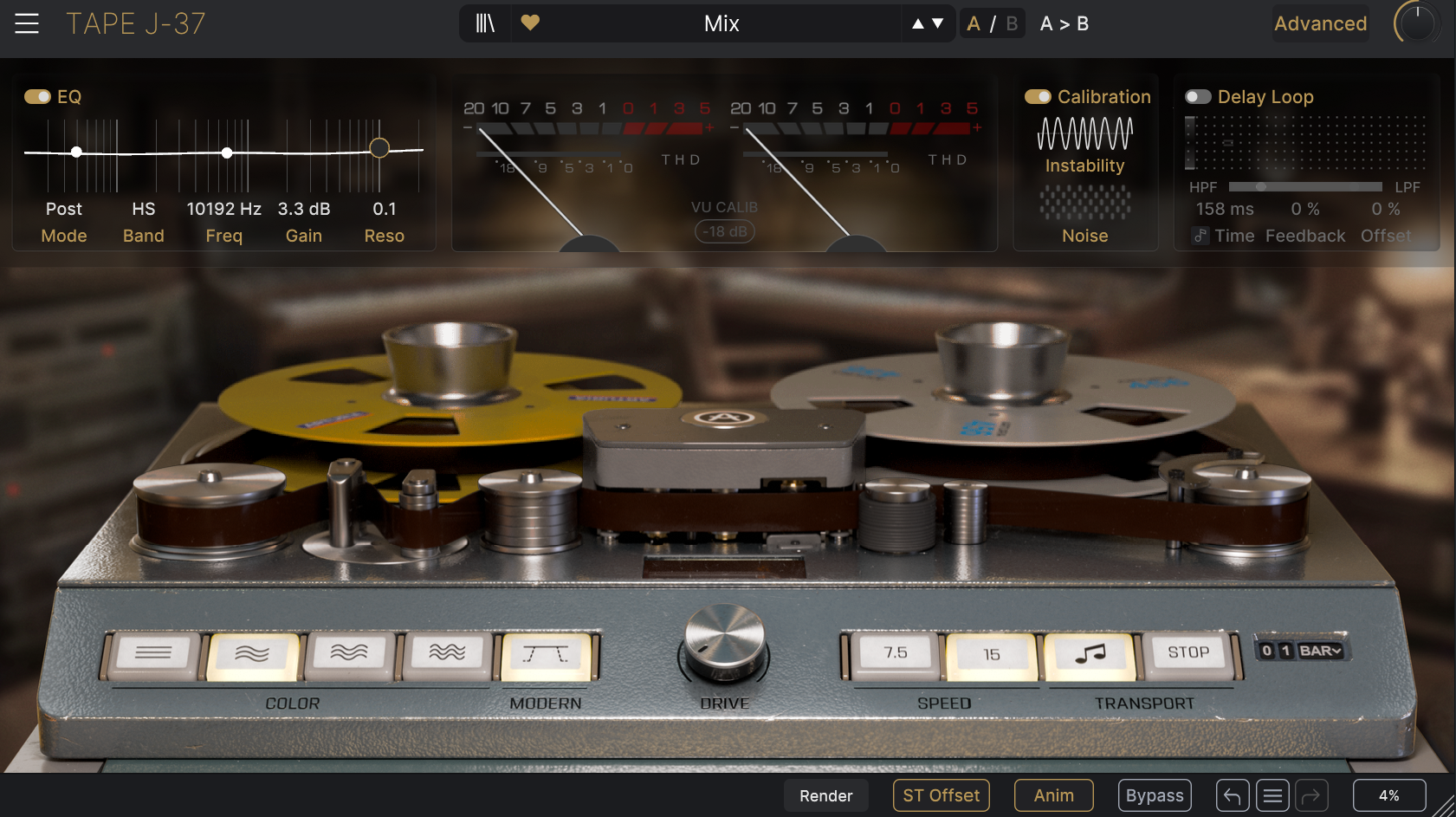
The Arturia J37 emulates the Studer J37 tape machine, a legendary analog tape recorder known for its use by iconic artists such as The Beatles, Pink Floyd, and Jimi Hendrix. I like this sound, and particularly the Tape Color 2 – Warm. This emulates new SM911 tape calibrated to NAB.
SM911 is a high-output, professional-grade analog reel-to-reel tape manufactured by Recording The Masters (RTM). It is designed for studio recording, mixing, mastering, and archival purposes, and is known for its warm analog sound, excellent clarity, high headroom, and low noise. SM911 is a direct successor to classic BASF/EMTEC tape formulations and is widely used in both professional and audiophile settings.
NAB (National Association of Broadcasters) equalization is the standard tape EQ curve used in North America. It is characterized by a transition frequency at 3150 Hz, a high-frequency boost (to compensate for tape head and tape losses), and a low-frequency “bass shelf” at 50 Hz (3180 μs time constant).
Together, the SM911 and NAB give a really nice warmth, and that is why I use the J37 plugin here.
I also use the J37’s VU meters calibrated to -18 dB to see my levels and I try to keep them hovering around the 0 mark.
Note: Sometimes I will put a different tape plugin here depending on what I need for a track.

De-edger takes the edge off of the harsh levels so this comes next.

Limen is a high-frequency limiter that takes down the harshness of the high frequencies and prevents listener fatigue so that comes next. Also, with the recover control set above 100%, it provides a kind of silkiness that I just cannot achieve with a normal equalizer.

Finally, Claro is just before the final metering and I use this on Mix (see below) in order to see where my instruments are clashing and to make adjustments accordingly. I really like the InvertEQ option, which allows me to simultaneously raise a point in one instrument while pulling down the same in another.
Claro really has been a game-changing plugin for me. It is not for everyone (maybe it should be, though), but it has helped me learn how to use my ears and not obsess over tiny details at first. Using the Produce setting first gets my mix sounding good and then I switch to Mix mode on the mix bus only, and see where different instruments are overlapping. Then I can adjust right there in Mix mode with an inverted EQ (usually) to simultaneously boost and cut two different but overlapping bands. Truly amazing how I can get rid of phase issues almost entirely in the Claro plugin.
